Settings

Configuring the vehicle settings

Configure driving-related features and other vehicle settings.
Caution
Make sure you stop the vehicle before changing settings to ensure safety.
  • Vehicle settings can be changed only when the vehicle is turned on.
  • The screen may differ depending on the vehicle model and specifications.
  • Available settings may differ depending on the vehicle model and specifications.
  • Some features may not be supported, depending on the climate control system.
  1. On the Home screen, press Setup Vehicle.
The vehicle settings screen appears.
  1. Configure the settings as required.
  • Press on the screen or press the [SEARCH] button on the control panel, enter a search term, and then select the item to run.

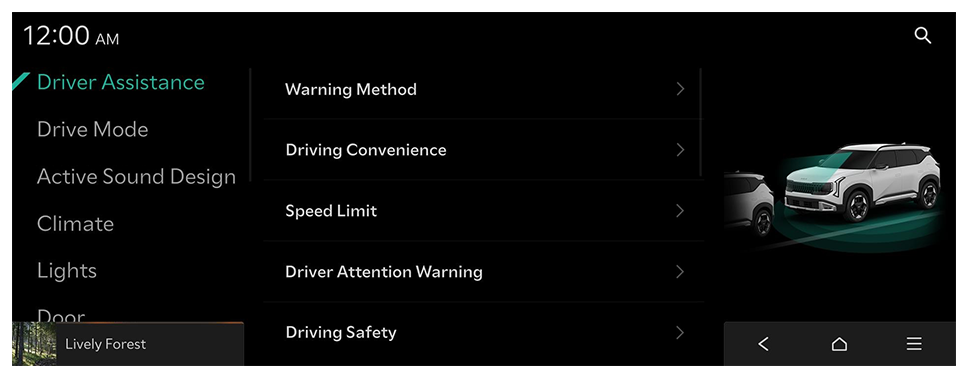
Driver Assistance (if equipped)

Configure settings for various driver-assist systems, to ensure safety.
  • Available settings may differ depending on the vehicle model and specifications. Refer to the car owner's manual for further information about the features.
  • To switch the view mode for driver assist features between the image view and list view, press Change Menu Display. The default mode is the image view.
Warning
  • Be sure to always check the road conditions while driving. The Driver Assistance system helps you drive safely and conveniently. Relying solely on the function may cause violation of traffic rules and regulations, resulting in an accident.
  • Be sure to control the vehicle by your judgment and keep traffic regulations for safety. When the function is active, drive the vehicle with keeping eyes forward and checking the surroundings.
  • Not all warnings or functions are necessary when they are active, and they do not replace the driver discretion under any circumstances. Stay focused on the road while driving.
Caution
Be sure to always check the vehicle surroundings while driving. The equipped cameras and sensors may not operate properly under all driving conditions.

Warning Method

Sets the warning method(s) for the Driver Assistance systems.
  • Warning Volume: Sets the volume of the warning sound.
  • Haptic Warning: Activates the steering wheel vibration warning.
  • Lane Safety Audible Warning Off: Turns off the audible warning used for the Lane Safety feature if both the audible warning sound and the haptic warning are on.
  • Driving Safety Priority: Lowers all other audio volumes when the Driving Safety system sounds a warning.
  • Parking Safety Priority: Lowers all other audio volumes when the Parking Assist view is active.

Driving Convenience

Sets the properties of the Driving Convenience system.
  • Highway Driving Assist: Assists driving on a highway according to the set speed and distance while keeping the vehicle centered in the lane.
  • Highway Lane Change Assist: Automatically assists with lane changes when the turn signal is on while Highway Driving Assist is active.

Speed Limit

Sets the properties of the Speed Limit system.
  • Speed Limit Assist: Adjusts the vehicle set speed based on the current speed limit of the road.
  • Speed Limit Warning: Provides a warning when exceeding the current speed limit of the road.
  • Off: Disables Speed Limit functions that use the current speed limit.
  • Speed Limit Offset: Provides a warning and adjusts the vehicle′s set speed based on the current road′s speed limit and the selected offset.

Driver Attention Warning

Sets the properties of the Driver Attention Warning system.
  • Leading Vehicle Departure Alert: Alerts the driver during a stop, when the leading vehicle departs.
Warning
Be sure to always check the road conditions ahead or surroundings before departure. An accident caused by distracted driving can be prevented.

Driving Safety

Sets the properties of the Driving Safety system.
  • Forward Safety: Provides a warning and vehicle control when a risk of forward collision is detected.
  • Forward Safety Warning Timing: Sets the timing of the Forward Safety System warnings.
  • Forward Cross-Traffic Safety: Provides a warning and vehicle control when a risk of forward cross-traffic collision is detected.
  • Forward/Side Safety: Provides a warning and vehicle control when a risk of forward or side collision is detected.
  • Lane Safety: Automatically assists with steering to help prevent the vehicle from leaving the lane.
  • Blind Spot View Monitor: Displays the Blind Spot view in the cluster when operating the turn signal switch.
  • Blind-Spot Safety: Provides a warning when a risk of blind-spot collision is detected, and provides vehicle control while departing a parallel parking spot.
  • Safe Exit: Provides a warning and door control when an approaching vehicle is detected in the vehicle's blind spot while exiting the vehicle.

Parking Safety

Sets the properties of the Parking Safety system.
  • Camera Settings: Sets the properties of camera.
  • To initialize all camera mode settings, press Center.
  • Surround View Monitor Auto On: Automatically activates surround view when Parking Distance Warning activates.
  • Parking Distance Warning Auto On: Automatically activates Parking Distance Warning when driving at low speeds.
  • Rear Safety: Provides a warning and vehicle control when a risk of collision is detected while reversing.
  • Rear Cross-Traffic Safety: Provides a warning and vehicle control when a risk of rear cross-traffic collision is detected while reversing.
Warning
  • Even if your vehicle is equipped with a driver assistance system, always check for objects around the vehicle when driving or parking. Relying on the Parking Safety system may cause an accident. Accordingly, be sure to control the vehicle by your judgment.
  • When the sensors cannot detect any obstacles due to the detection limit, it may cause an accident. Be sure to always check the surroundings while parking.

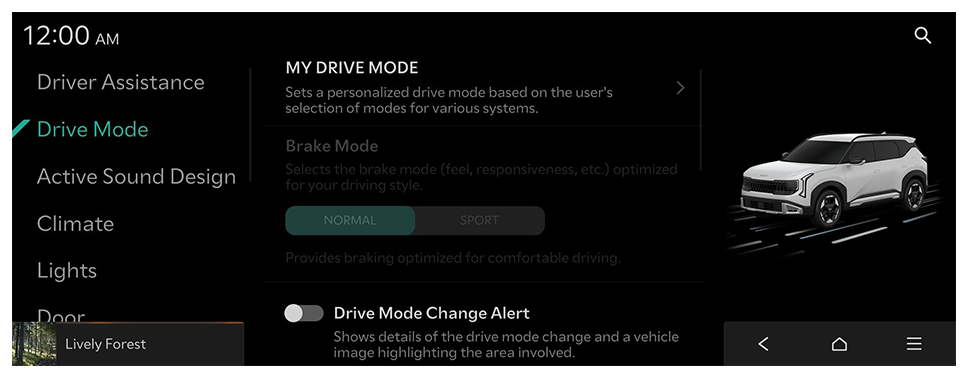
Drive Mode (if equipped)

You can change the vehicle settings for driving conditions.
  • Available settings may differ depending on the vehicle model and specifications.

MY DRIVE MODE

Sets a personalized drive mode based on the user's selection of modes for various systems.

Brake Mode

Selects the brake mode (feel, responsiveness, etc.) optimized for your driving style.

Drive Mode Change Alert

Shows details of the drive mode change and a vehicle image highlighting the area involved.

Climate Control ECO Mode

Helps to decrease energy consumption by reducing the heating and cooling power of the Climate Control system.

Active Sound Design (if equipped)

Modifies the perceived engine and road noise.

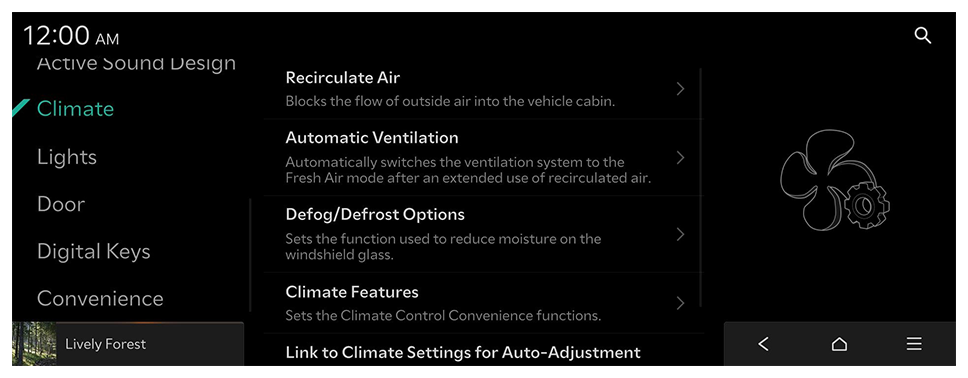
Climate (if equipped)

You can configure the operation environment for climate control system.
  • Available settings may differ depending on the vehicle model and specifications.

Recirculate Air

Blocks the flow of outside air into the vehicle cabin.

Automatic Ventilation

Automatically switches the ventilation system to the Fresh Air mode after an extended use of recirculated air.

Defog/Defrost Options

Sets the function used to reduce moisture on the windshield glass.

Climate Features

Sets the Climate Control Convenience functions.

Link to Climate Settings for Auto-Adjustment

Automatically activates and adjusts the Steering Wheel Warmer and Seat Warmer/Ventilation for the driver's seat based on the Climate settings.

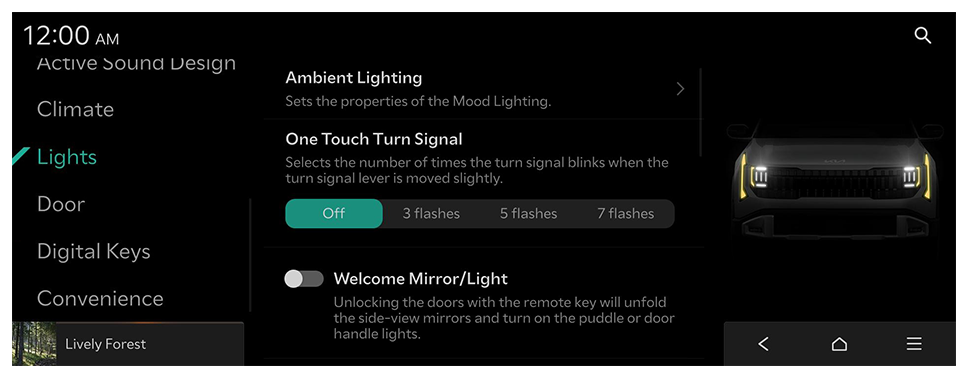
Lights (if equipped)

You can configure the settings for vehicle lights.
  • Available settings may differ depending on the vehicle model and specifications.

Ambient Lighting

Sets the properties of the Mood Lighting.
  • Brightness: Adjusts the brightness of the cabin's Mood Lighting.
  • Color: Adjusts the color of the ambient light.
  • Link to DRIVE MODE: Mood Lighting changes color according to the selected Drive Mode.
  • Dim in Darkened Conditions: Automatically dims mood lighting under darkened conditions.
  • Sync Lighting with Speed: Adjusts the brightness of ambient lighting based on speed.

One Touch Turn Signal

Selects the number of times the turn signal blinks when the turn signal lever is moved slightly.

Welcome Mirror/Light

Selects the condition when the outside mirrors will unfold and the door handle lights will turn on automatically.

Headlight Delay

The exterior lighting stays on for 15 seconds after the user turns off the vehicle, exits, and closes the doors.

Lighting Patterns

Selects the lighting pattern for exterior lighting. This change will be applied at the next vehicle startup.

Travel Mode

Reduces the headlight range to prevent glare for oncoming cars within countries with opposing driving directions.

High Beam Assist

Assists in reducing the high beam glare which affects drivers in oncoming vehicles.

Intelligent High Beams

Sets the vehicle speed at which the Intelligent Headlights (high beams) are activated.

Interior Lights Always On

Interior buttons and switches are illuminated at all times, even during the daytime.

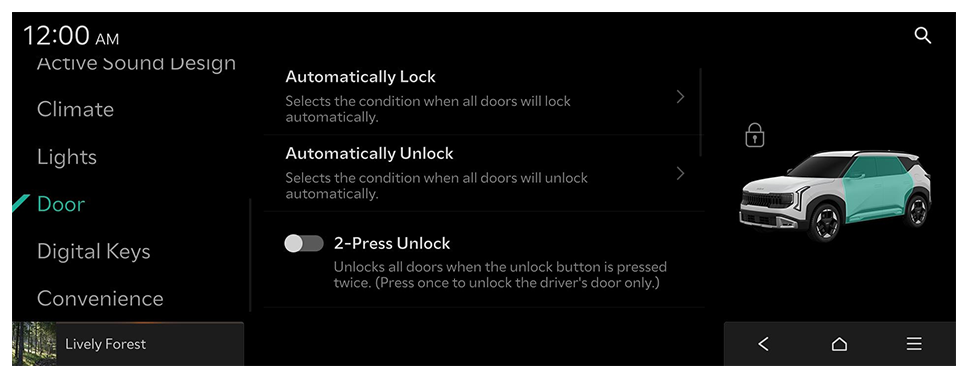
Door (if equipped)

You can configure the operation environment for the tailgate and doors.
  • Available settings may differ depending on the vehicle model and specifications.

Automatically Lock

Selects the condition when all doors will lock automatically.

Automatically Unlock

Selects the condition when all doors will unlock automatically.

2-Press Unlock

Unlocks all doors when the unlock button is pressed twice. (Press once to unlock the driver's door only.)
  • When you press the door unlock button once, only the driver's seat door is unlocked.

Power Trunk or Power Tailgate

The Power Trunk (tailgate) button can be used to automatically open and close the trunk (tailgate).

Power Trunk Opening Speed or Power Tailgate Opening Speed

Selects the speed the power trunk (tailgate) automatically moves.

Power Trunk Opening Height or Power Tailgate Opening Height

Selects the height the power trunk (tailgate) automatically moves.

Smart Trunk or Smart Tailgate

Opens the trunk (tailgate) lid automatically when approaching the trunk (tailgate) with the smart key.

Remote Window Control

Enables/disables the Remote Window Control function.

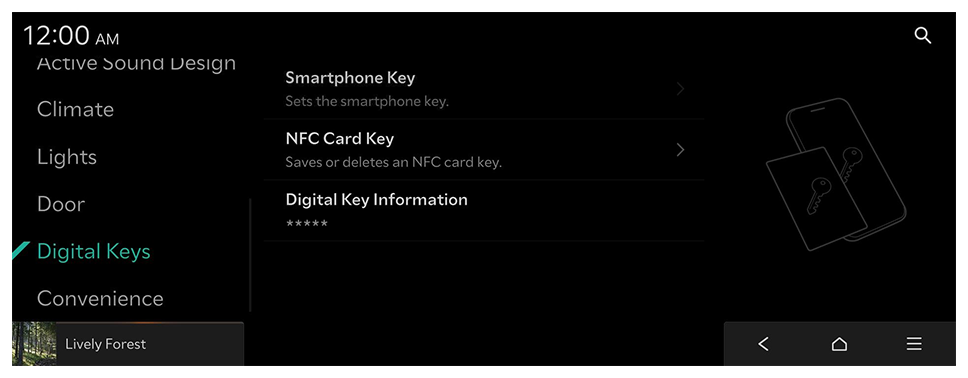
Digital Keys (if equipped)

Register a digital key to your smartphone or an NFC-enabled key card, to use the smartphone or card as a smart key.
  • Available settings may differ depending on the vehicle model and specifications.

Smartphone Key

Sets the smartphone key.
  • My Smartphone Key: Saves or deletes My Smartphone Keys.
  • Shared Keys: Displays shared smartphone keys.
  • A digital key can be shared by a maximum of three smartphones. Ensure the smartphones were made by the same manufacturer.

NFC Card Key

Saves or deletes an NFC card key.
  • Enable Card Key: Starts the vehicle and locks/unlocks doors using a card key.

Digital Key Information

Shows the serial number of the authentication controller.

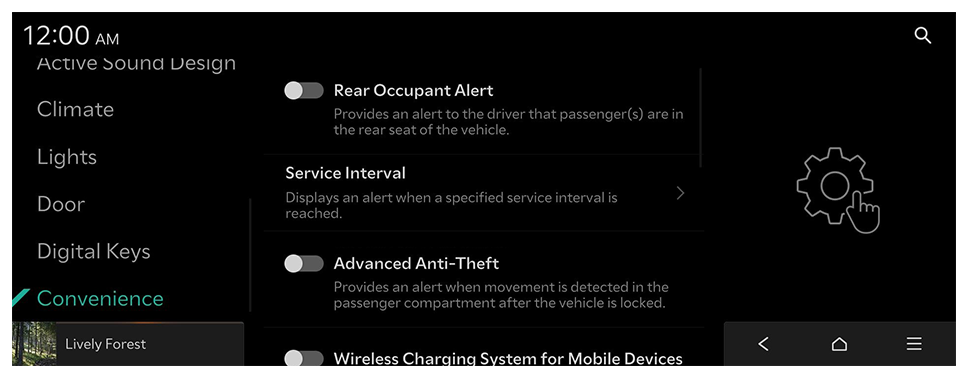
Convenience (if equipped)

You can configure the features for convenience such as wireless charging.
  • Available settings may differ depending on the vehicle model and specifications.

Rear Occupant Alert

Provides an alert to the driver that passenger(s) are in the rear seat of the vehicle.

Service Interval

Displays an alert when a specified service interval is reached.
  • Enable Service Interval: Displays an alert when a specified service interval is reached.
  • Distance: Provides a service inspection notification after driving the set distance.
  • Duration: Provides a service inspection notification after the set amount of time has passed.
  • To initialize all service interval reminder settings, press Reset.

Advanced Anti-Theft

Provides an alert when movement is detected in the passenger compartment after the vehicle is locked.

Wireless Charging System for Mobile Devices

Enables the wireless charging pad to be used with compatible devices.

Auto Rear Wiper (in R)

Activates the rear windshield wiper automatically when the front wiper is On and the gear is in reverse.

Digital Side Mirrors

The Rearview Camera image is displayed in the digital side mirrors.

Smart Glass Tint

Sets the level of tinting for the vehicle's glass.

Settings

Font size

Line spacing