Using the electric vehicle menu (EV only)
You can use various EV-specific functions, such as driving and energy information views and vehicle charge scheduling.
On the Home screen, press EV.
Electric Vehicle screen
The Electric Vehicle screen provides the following features and information:
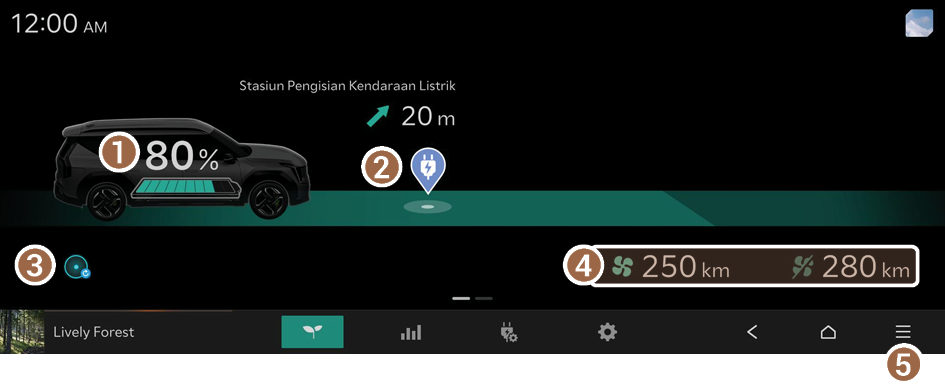
- View the current battery level.
- If you press the vehicle image, the Charging limit screen appears.
- Can search for nearby charging stations.
- The details of charging stations displayed on the map screen may not match the actual information.
- Move to the EV Range screen.
- View the distance to empty for the current climate control settings.
- The details of drivable range displayed on the map screen may not match the actual information.
- Displays the list of menus.
- • Charging Station List: You can search for nearby charging stations.
- • Edit EV Home Widgets: Edit items that can be controlled from the Electric Vehicle screen.
- To reset the control items on the Electric Vehicle screen and their positions, press Reset.
- • Online Manual: View the online manual by scanning the QR code with your mobile phone.
Searching for nearby charging stations
If the distance to the set destination exceeds the drivable range, you can use the function that guides you along a route with charging stations within the drivable range.
- Depending on the third-party service provider, basic information or status information on some charging stations may differ.
- Perform any of the following methods:
- • On the Electric Vehicle screen, press the Charging Station icon.
- • On the Home screen, press Map ▶
 ▶ Nearby Info. ▶ Nearby POIs ▶ EV Charging Stations.
- Specify the range of search from the left of the screen, and then select a charging station from the right.
- To view specific charging stations only, press the
 and select a charging speed and operating organization.
 - If you press
 at the top of the screen, the locations of the charging stations (if equipped) and/or parking garages/lots on the Map screen are displayed as icons.

- To view specific charging stations only, press the
- Check the location of the destination and then press Route.
Viewing the drivable range
Can check the drivable range under the remaining battery amount.
- The details of drivable range displayed on the map screen may not match the actual information.
- Perform any of the following methods:
- • On the Electric Vehicle screen, press
 .
. - • On the Navigation screen, press ▶ EV Range.
- • On the Electric Vehicle screen, press
- From the EV Range screen, check how far you can drive with the current battery level.
Viewing the energy information screen
Check the vehicle's electricity usage and EV economy history.

Electricity Use
You can view the power consumed by the drivetrain, climate control, electrical systems and battery care function.
Charge Efficiency History
You can view a graph of fuel efficiencies on individual dates.
Setting for charging
You can configure various functions such as automatic battery charging or climate control according to the specified departure time.
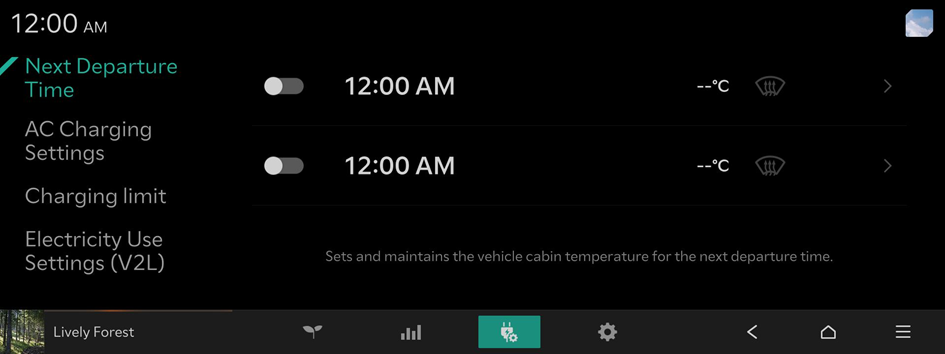
Next Departure Time
Sets and maintains the vehicle cabin temperature for the next departure time.
AC Charging Settings
You can schedule charging and set the charge current, depending on the installed charger type.
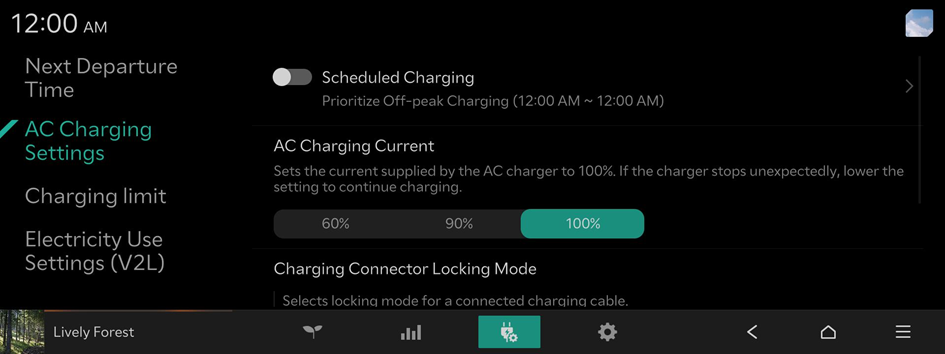
- Charging time varies based on charging conditions.
- If a problem occurs during charging, lower the charging current and try again. If you lower the charging current, it may take longer to charge the battery.
Charging limit
Sets the maximum % charge level for the vehicle's high voltage battery.

Electricity Use Settings (V2L)
Sets the minimum battery charge % level at which V2L will stop.
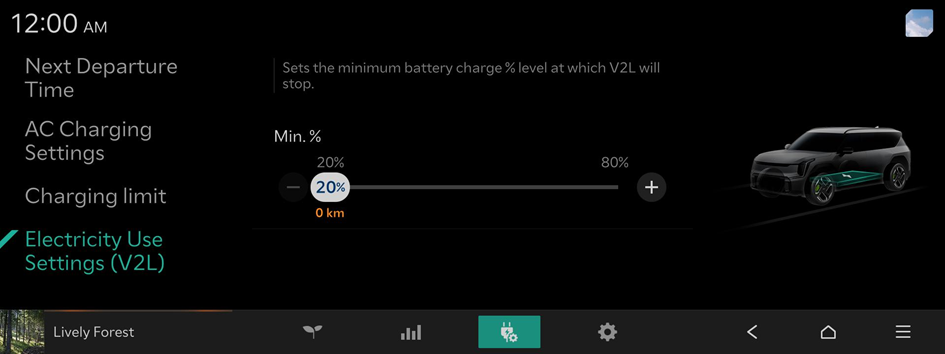
- V2L is an abbreviation of Vehicle To Load.
Configuring the Electric Vehicle settings
You can set convenience features available for electric vehicles.
- Available settings may differ depending on the vehicle model and specifications.
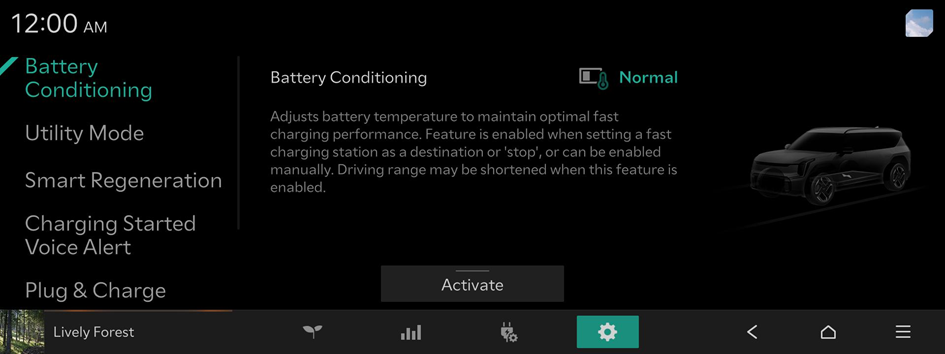
Battery Conditioning
Adjusts battery temperature to maintain optimal fast charging performance. Feature is enabled when setting a fast charging station as a destination or 'stop', or can be enabled manually. Driving range may be shortened when this feature is enabled.
Utility Mode
Uses the high-voltage battery to power electronic devices, such as the Infotainment system, Climate Control, and interior lights, when parked for a long time or while camping.
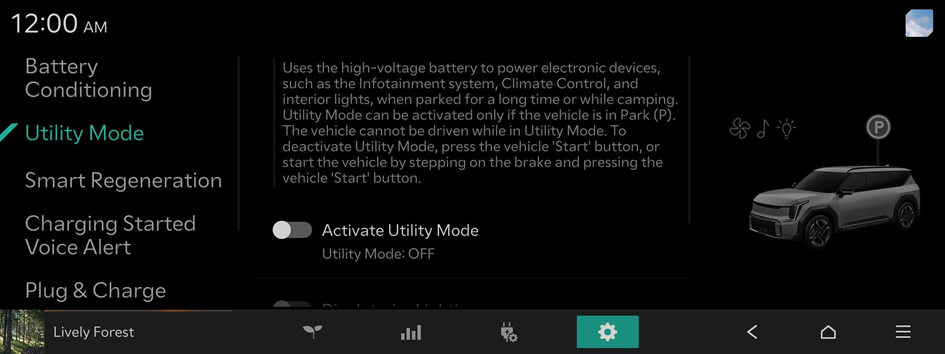
- To deactivate Utility Mode, press the vehicle 'Start' button, or start the vehicle by stepping on the brake and pressing the vehicle 'Start' button.
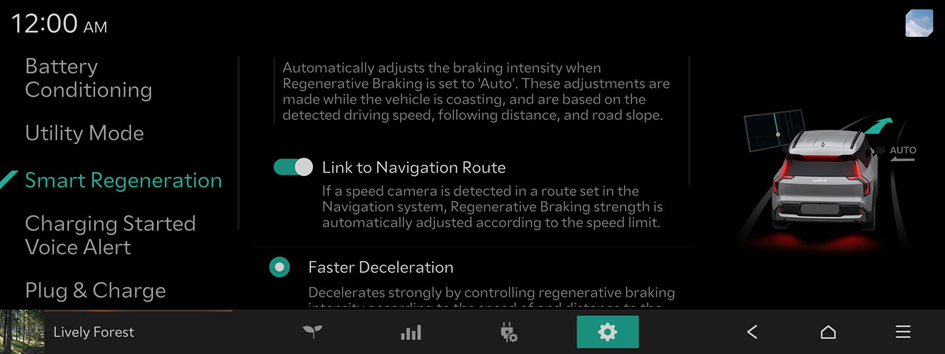
Smart Regeneration
Automatically adjusts the braking intensity when Regenerative Braking is set to 'Auto'. These adjustments are made while the vehicle is coasting, and are based on the detected driving speed, following distance, and road slope.
Charging Started Voice Alert
Provides voice prompts about charging status when the vehicle starts charging.

- To turn off the Charging Started Voice Alert, press Off.
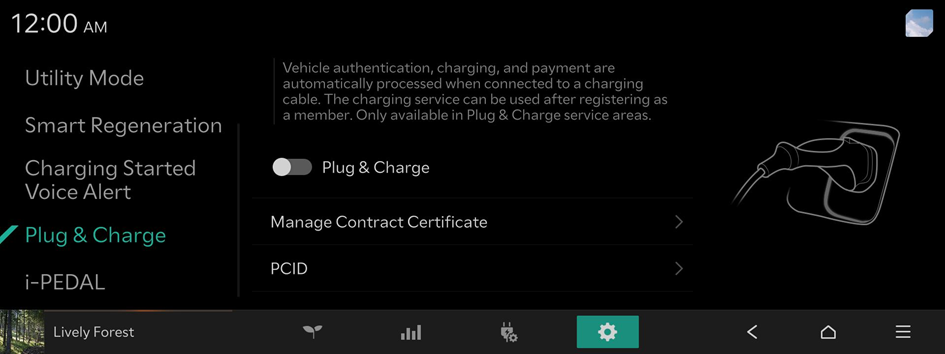
Plug & Charge (if equipped)
Vehicle authentication, charging, and payment are automatically processed when connected to a charging cable. The charging service can be used after registering as a member. Only available in Plug & Charge service areas.
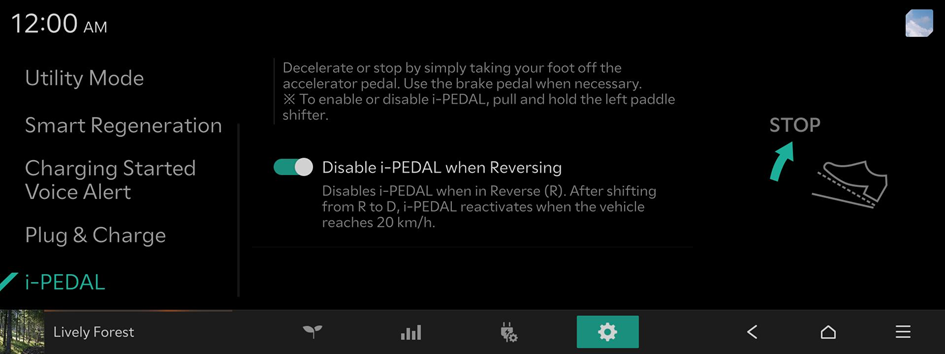
i-PEDAL (if equipped)
Decelerate or stop by simply taking your foot off the accelerator pedal. Use the brake pedal when necessary.