Configuring the user profile settings
You can additionally set profiles for each driver after First run setup.
- Available settings may differ depending on the vehicle model and specifications.
- For details on how to create a user profile, refer to the following: ▶ see "Registering user profile settings."
- On the Home screen, press Settings ▶ User profile.
- Press the user to change the profile.
The user profile settings screen appears.
- Press
 on the screen or press the button on the control panel, enter a search term, and then select the item to run.
 - When you are logged in as a guest, you cannot set a profile. To set a different profile, select another user.
Profile settings
You can specify user details and vehicle operation settings for a registered user.
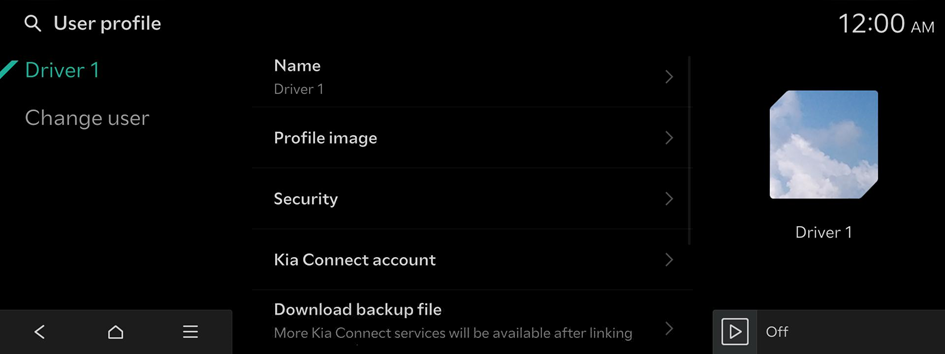
Name
Specify the name of the user to display on the profile.
Profile image
Select an image to use for the User Profile.
Security
Set the security to use for profile login.
Delete profile
Deletes all stored data and profile settings, and resets the system.
Change user
Log out from the current profile, to change to another user profile.


