Configuring the voice recognition settings (if equipped)
Change settings for voice recognition.
- On the Home screen, press Settings ▶ Voice recognition.
The voice recognition settings screen appears.
- Configure the settings as required.
- Press
 on the screen or press the button on the control panel, enter a search term, and then select the item to run.
 - Voice recognition is supported only for certain languages. If you change the system language, voice recognition may not be supported.
Wake-up word (if equipped)
Turn on the voice recognition command feature and set the command sensitivity. This allows you to activate voice recognition by saying a voice command.
Online voice recognition (if equipped)
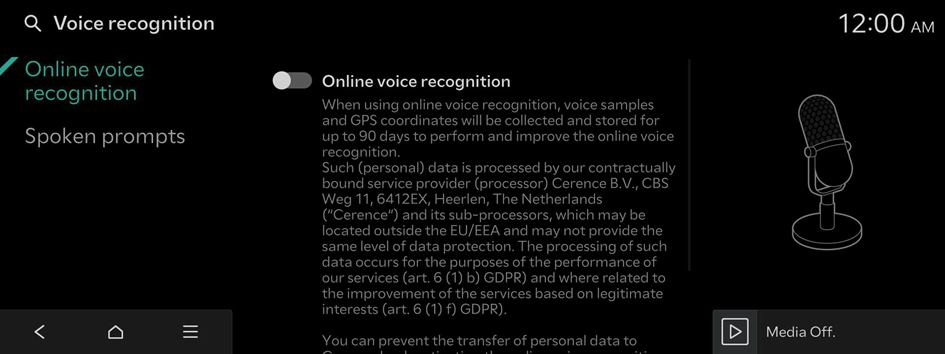
- To use the corresponding feature, subscribe to Kia Connect. ▶ See "Subscribing to the service (if equipped)."
Spoken prompts
The voice recognition guidance method


