Configuring the user profile settings
You can additionally set profiles for each driver after First run setup.
- On the All menus screen, press Settings ▶ User profile.
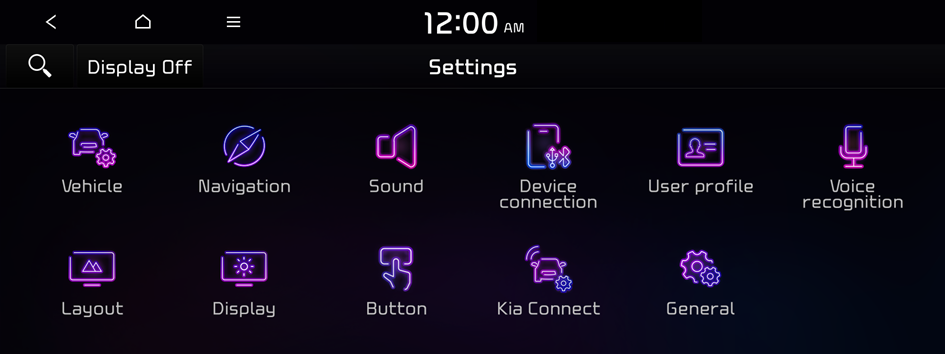
Type1
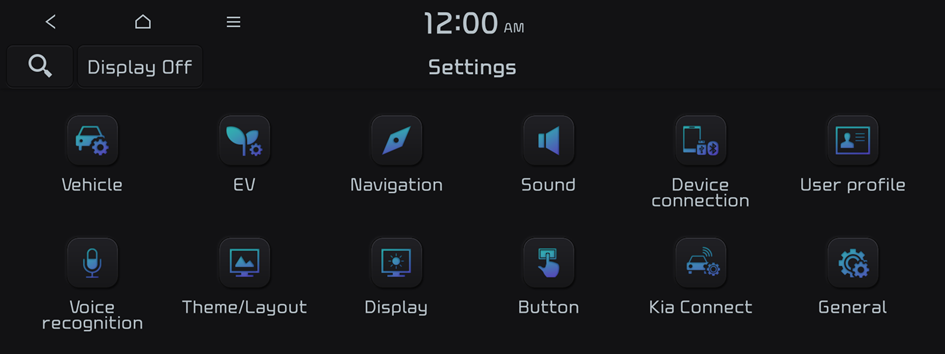
Type2
- The screen may differ depending on the vehicle model and specifications.
- If the vehicle is type 2, it is possible to change the graphic theme to white or black. ▶ See "Graphic themes (if equipped)."
- Press the user to change its profile.
The user profile settings screen appears.
- Press Change user to switch to another user's profile.
- When you log in as guest, you cannot set the profile items additionally. To set a different profile, select another user.
- Press
 ▶ Search for settings or press
  and enter a keyword to search for a setting item. You can also search for a setting item by voice.
Profile settings
You can specify the details and operation environment for a registered user.

- The screen may differ depending on the vehicle model and specifications.
Name
You can specify the name of the user to display on the profile.
Password (if equipped)
You can set password to use for profile login.
- To use this feature, connect your Kia Connect account.
Profile image
You can specify the image to display on the user profile.
Connect Kia Connect account (if equipped)
You can use various services and convenient management features when linked to the registered Kia Connect service.
- To use the corresponding feature, subscribe to Kia Connect. ▶ See "Subscribing to the service."
Download backup file
Loads the backup files saved on the server.
Delete profile
All stored data and profile settings will be lost and the system will be reset.


